
Engineering
Robotics
Build and program simple robots while exploring how machines sense and respond.
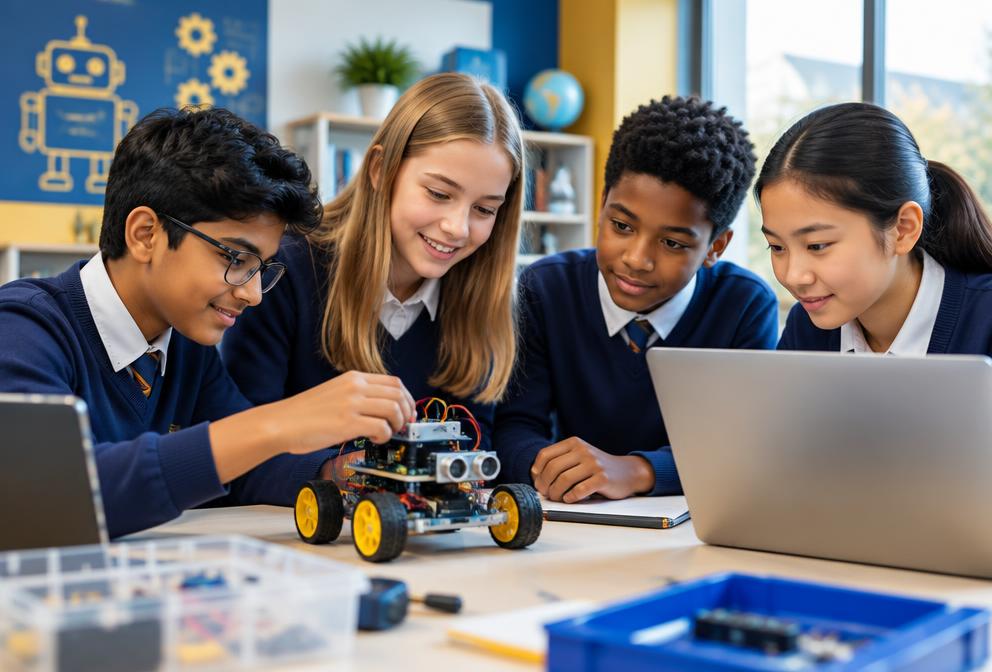
What students learn
- Sensors
- Motors
- Robotic control
- Engineering challenges
- Programming logic
Learning outcomes
- Build practical systems
- Develop engineering thinking
- Solve hands-on challenges
Course overview
Robotics for Kids – Build, Code and Control Your Own Robots
Students learn how robots move, sense their environment and make decisions through code, using LEGO® Spike, VEX IQ or micro:bit with MakeCode or Python.
Learners design, assemble and program robots for different challenges — and by the end each student has built a robot that completes a real-world task or fun challenge.
Age group
Ages 9–16 (no prior robotics experience required)
Total duration
49–57 hours
Format
10 modules · ideal for a 10–12 week term or a holiday camp
By the end of the course, learners will be able to
- 1Understand what robots are and how they work
- 2Build and program robots using block-based or text-based coding
- 3Use sensors, motors and control systems effectively
- 4Solve engineering challenges through logical thinking and design iteration
- 5Collaborate to build and test robots
- 6Design and present their own robot project
Tools & platforms
Robotics kits
Software
Hardware
10 modules
Course modules
- Module 1Introduction to Robotics and Engineering Thinking4 hours
- What robots are and what they can do
- Types of robots: industrial, service, home and educational
- How coding controls robotic actions
Project: 🦾 My First Robot Sketch – plan your dream robot and explain what it does
- Module 2Getting Started with the Robotics Kit5 hours
- Motors, sensors and controllers
- Connecting and powering the robot
- First block-based or simple Python program
Project: 🚗 Move and Stop Challenge – move a set distance and stop precisely
- Module 3Programming Basics for Robotics5 hours
- Loops, waits and conditionals
- Controlling motor speed and direction
- Precision, timing and iteration
Project: 🔁 Dance Bot – code a dance or motion sequence
- Module 4Using Sensors – How Robots See and Feel5 hours
- Touch, ultrasonic, colour and gyro sensors
- Using sensor data to make decisions
- Responding to light, distance or touch
Project: 🚦 Line Follower Bot – follow a path using colour or light sensors
- Module 5Decision-Making with Logic and Conditionals4 hours
- if…then…else decisions
- Combining sensors for smart behaviour
- Basic AI-like pattern recognition
Project: 🧠 Smart Avoider Bot – stops, turns or changes path automatically
- Module 6Loops, Variables and Real-World Problem Solving5 hours
- Tracking steps, speed and time with variables
- Optimising performance through experiments
- Iterative design: build, test, improve
Project: ⚙️ Delivery Robot Challenge – deliver an object from A to B avoiding obstacles
- Module 7Building Multi-Function Robots5 hours
- Robots with arms, claws or sensors
- Combining motion and logic
- Teamwork and collaborative building
Project: 🤖 Rescue Bot – pick up and move small objects
- Module 8Robotics in the Real World4 hours
- Robots in medicine, farming and space
- AI in robotics and automation
- Responsible and ethical use of robots
Project: 🌍 Robot for Good – design a robot that solves a community or environmental problem
- Module 9Testing, Debugging and Optimising Robots4 hours
- Troubleshooting mechanical and code errors
- Testing performance and refining code
- Documenting improvements
Project: 🔍 Robot Fix-It Challenge – find and fix bugs in a malfunctioning robot
- Module 10Final Project – Build, Code and Present Your Robot8–10 hours
- Design, build and program a custom robot
- Show creativity and engineering thinking
- Present the robot’s purpose and logic clearly
Final deliverables
- Functional robot prototype
- 3-minute live or video presentation explaining its purpose and design
Example projects
How we teach it
- Class size
- 8–12 learners per instructor (small groups)
- Lesson format
- 15 mins theory → 60 mins hands-on building and coding
- Teaching method
- STEM-based, project-driven, collaborative learning
- Assessment
- Module projects, teamwork and final robot presentation
- Support materials
- Build guides, coding sheets, engineering logs and video tutorials
- Safety
- Safe handling of motors, sensors and tools
- Differentiation
- Younger learners use block coding; older students use Python
- Encouragement
- Rewarding creativity, teamwork and problem-solving — not just performance
Certificate of Completion
Awarded for completing all modules and presenting the final project.
What comes next
Progression pathways
- Advanced Robotics and Automation
- AI and Robotics Integration (Vision + Sensors)
- Python Programming for Robotics
- Robotics Competitions (FIRST LEGO League, VEX Robotics)
How tuition works
Students can learn in supportive small groups or through individual tuition. Lessons follow clear objectives, guided practice and regular feedback. Academic courses cover the relevant National Curriculum and OCR, Edexcel, AQA or Cambridge requirements where applicable.